slack


streamlining slack's user experience: addressing channel overload and organization limitations for improved productivity.
So What? 🤔
Remote designers need to maintain creative flow while collaborating on projects, but experience frustration and diminished productivity when forced to constantly switch between disconnected platforms and manage disorganized communication streams.
Our Promise.
Based on our user insights, we think that creating a smaller pop-up extension, allowing users to unread messages, and enabling the ability to pin channels will all-in-all make Slack a more enjoyable and seamless experience for users.
Overview 😚
Communication apps are crucial for most teams nowadays. Apps like Slack are used daily by working professionals, but these individuals are often faced with limitations due to these tools. Some of these restrictions include, the large number of channels each person has to surf through, lack of organization options, and limited user interactability. These issues lead workers to feel frustrated when trying to complete a task and in turn, negatively interferes with their productivity and motivation. By addressing these friction points, our solution transforms Slack from a source of workplace frustration into a seamless communication ally that works with users, not against them.
Closing Thoughts 💭
This project made me feel like I was designing something for the people. I enjoyed getting to research the root of the problems, and provide solutions for our stakeholders that actually solved the issues they were having!
Communication was essential for this project. My team was constantly messaging and calling to make sure we were all on the same page with what needed to be done. User testing was also another big part. Being able to get feedback from people who have used Slack was insightful and helped steer our redesign in the right direction.
What did I learn? 🤓
Role:
✨ UX Researcher
✨ UI Developer
Timeline:
✨ 10 Weeks
✨ Jan 2025 - Mar 2025
Team:
✨ Judy Kim
✨ Sehee Kim
✨ Kate Hong
✨ Imogen Yang
UX Research
Lo-Fi
Wireframes
Hi-Fi
Wireframes
Iterations
Conclusion
1
2
3
4
5
Reuben Luera 🧑💻
UX Designer at Santa’s AI Lab
"I am in so many different projects that this channel thing, was unmanageable… It would be great to quickly be able to open and handle notifications without having to mentally shift each time."
My Tien Phan 👩🎨
UI Developer for Start-Up
"Discord and iMessage have the numbers of notifications/unread messages on the mobile app, (the little red dot), But, Slack doesn’t have the number, just the red dot unless the @ is used within a conversation."
User Flow
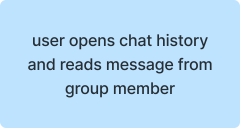
This flow was made with our pop-up messaging feature in mind. Instead of having to switch back and forth between Slack and the users' already open tabs, they can quickly read and respond to messages within a smaller window. This leads to less disruptions in the workflow and more efficient problem solving.
Low/Mid-Fi Wireframes

Our lo-fi wireframes show how the user would use and interact with a smaller pop-up tab. Since our target users is designers, the pop-up is shown being used in correspondence with Figma. That way, our users don't have to switch back and forth between Slack and Figma, when asking or answering quick questions about their projects.
Hi-Fi Wireframes

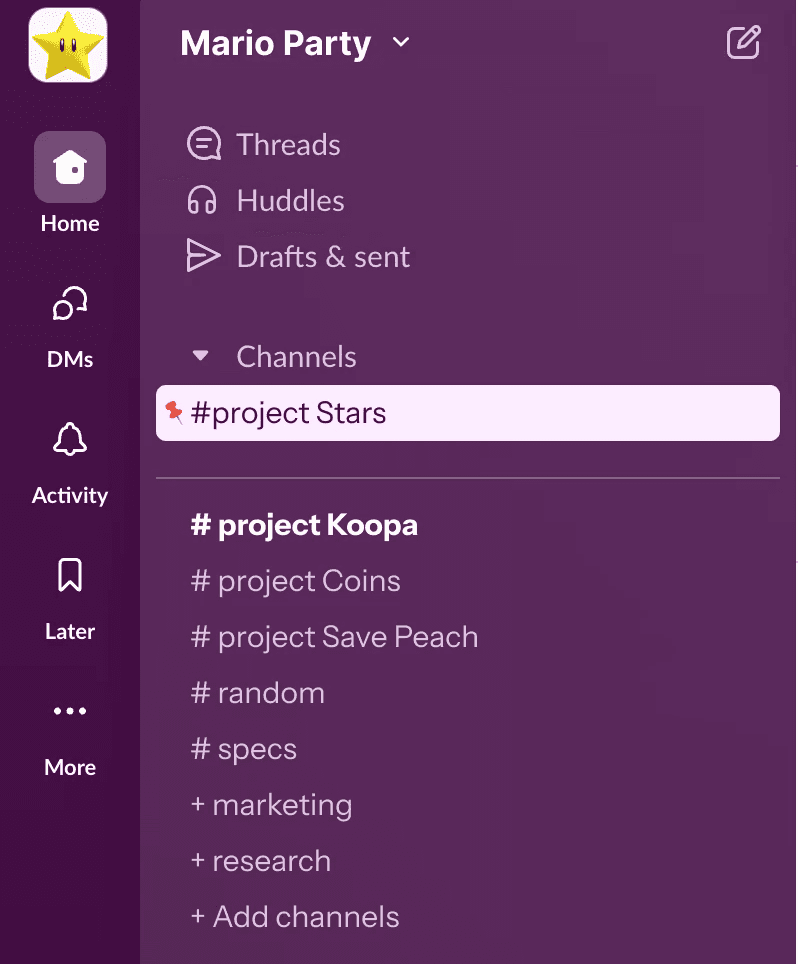
Our hi-fi shows a refined version of the pop-up extension, and implements our other ideas from our initial brainstorm, the unread messages feature, and a pin feature. This solves one of our stakeholder's largest issues, which is that being involved in so many projects, the channels can get quite confusing, and as Slack functions currently, there are little to no solutions to organize one's channels or dms. Being able to pin certain message threads or channels, makes it much easier to go directly to a channel that is used most often for communication or additional details on a job.

Microsoft Teams
✅Good for larger scale teams and sending out announcements.
❌Too complex for smaller teams and individuals.

Pumble
✅Great for communication within smaller teams!
❌No call function, which may not be ideal for certain groups.

Chanty
✅Helps with task management within the app, showing team progress.
❌Not secure, and not much room for personalization.
Competitive Analysis 🥊
Full Demo 🎉
What's Shown?

In the demo, the user receives a message from Luigi, which they can open in the small pop-up window. After responding, the user has the ability to move the window around, as well as resize it to be smaller or bigger. Then, once they fully open Slack, users can choose to unread messages and pin their preferred channels.
Iterations ✏️
Following user testing after the completion of our first hi-fi prototype, here are a few things our stakeholders mentioned.
✅Both of our stakeholders appreciated the pop-up feature and its ability to quickly open and handle notifications without having to go back and forth between tabs.
✅Liked being able to unread messages, as oftentimes one of our stakeholders will read messages and forget to respond to them, this feature would help mitigate that issue.
❌Our users stressed the importance of a resizing feature, as a preset window size could be blocking the information that the user needs to access.
❌While we had originally used a star symbol, one of our stakeholders mentioned that a pin emoji would be more intuitive, as not only would the message be starred, but it's also assumed that the channel would move up or be "pinned" to the top.
Before
After



Large icon to help users see and utilize the resize function!
💡
Changed star to pin to align better with users mental models!
🔥